30–90 Day Pilot: Prove Live Chat on Listings for Agents & Brokers

For most agents and brokerages, the right setup is hybrid: an AI-driven widget that answers routine listing questions instantly, backed by a human who takes over the moment a buyer gets serious. Solo agents leaning on volume can lean AI-heavy; teams with the budget for round-the-clock coverage can lean human-heavy. Either way, the first move is the same: embed a chat widget on every listing page that passes the property ID straight into your CRM and calendar.
TL;DR:
- Embedding a listing-aware chat widget on every property page with real MLS data reduces response times and increases lead capture efficiency.
- A hybrid setup of AI chatbot for routine inquiries and human escalation for high-stakes questions optimizes coverage and protects agent time.
- Automating booking and confirmation of showings within chat, along with real-time CRM integration, ensures timely follow-up and organized scheduling.
- Escalation rules should be defined upfront to prevent misunderstandings and ensure immediate human takeover for complex or uncertain inquiries.
- Tracking response time, lead qualification, booked showings, and cost per lead provides clear metrics to evaluate chat effectiveness and justify scaling investments.
Table of Contents
- Why Live Chat for Listings Beats a Static Contact Form
- How Do You Set Up a Listing-Aware Chat Widget?
- What Should You Ask Before Booking a Showing?
- When Should a Bot Hand Off to a Human?
- What Metrics Actually Prove Chat Is Working?
- An Operator’s Take on Rolling This Out
- How Gently Used RVs Handles Buyer Chat on High-Traffic Listings
- Sources
- FAQ
Why Live Chat for Listings Beats a Static Contact Form
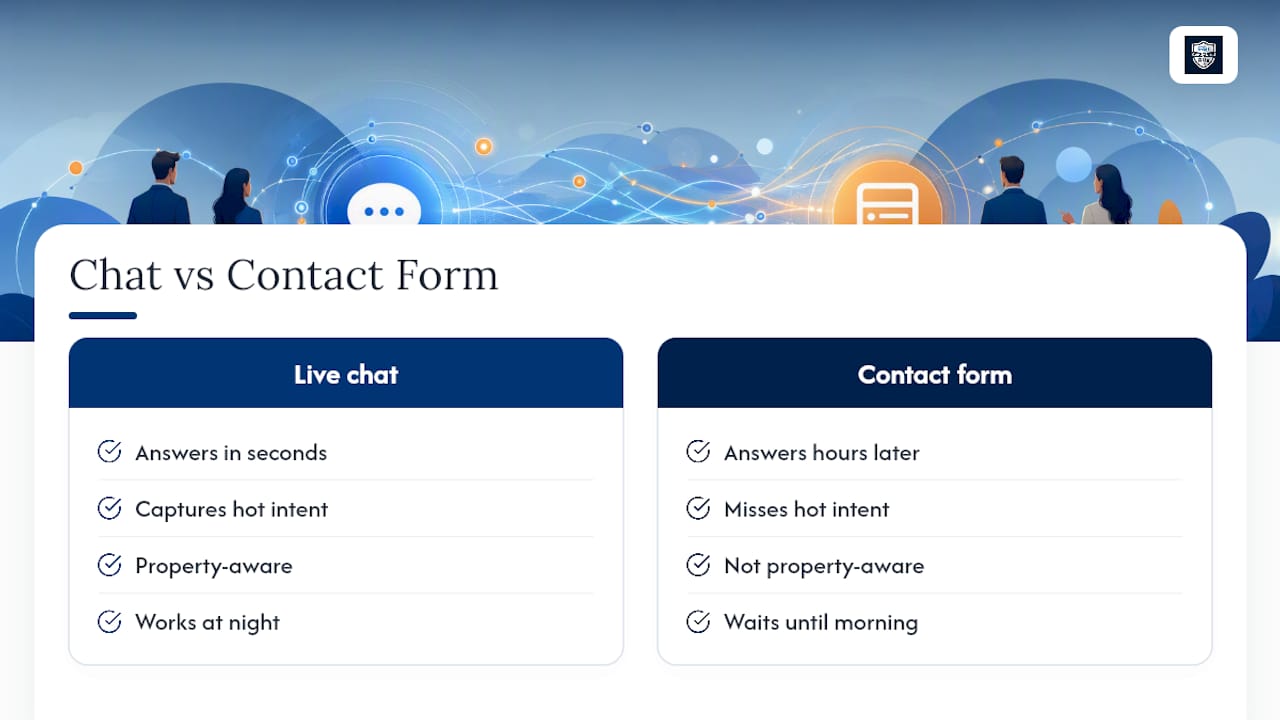
A buyer looking at a listing at 9 p.m. wants to know if the price is negotiable, whether the roof was replaced, or if the seller will hold it for a weekend showing. A contact form makes them wait until morning. Buyers expect instant answers about price, availability, and features, and static forms simply don’t capture that intent while it’s hot.
This is the whole case for real estate live chat on listing pages specifically, not just on your homepage. A chatbot for property listings that knows which property the visitor is looking at can answer in seconds. A form can’t. And because the median response time to a new web lead runs into hours industry-wide, instant capture is one of the few genuine competitive edges left in a crowded market. Speed wins showings.
Three Deployment Approaches Agents Should Evaluate
Real estate teams generally choose from three delivery models: an AI chatbot, an outsourced human answering service, or a hybrid of both.
- AI chatbot only. Answers instantly, 24/7, and never sleeps. The risk is hallucination. An unmoored bot will confidently invent square footage or HOA fees if it isn’t grounded in real listing data.
- Outsourced human agents. Real empathy, real judgment, and someone who can read between the lines when a buyer hesitates. The trade-off is cost and coverage gaps during off-peak hours unless you’re paying for true 24/7 staffing.
- Hybrid. The AI handles routine questions and lead capture; a human takes over for anything with real stakes. Hybrid setups let agents focus on high-value conversations while the bot does the repetitive work of the property inquiry chat.
A solo agent with one or two active listings can often run AI-only and simply check transcripts each morning. A small team benefits most from hybrid, since it protects agent time without losing after-hours leads. A high-volume broker with dozens of listings almost always needs hybrid with strict escalation rules, because the sheer number of conversations makes pure human staffing too expensive and pure AI too risky.
How Do You Set Up a Listing-Aware Chat Widget?
A chat widget that doesn’t know which listing the visitor is on is barely more useful than a phone number in the footer. Getting listing-aware chat integration right takes a specific setup sequence:
- Embed the widget on the listing template, not just the homepage, so it loads on every property page automatically.
- Pass the listing URL or property ID into the widget’s session data the moment it loads, so both the AI and any human agent can see exactly which unit the visitor means.
- Set proactive triggers carefully. A rule that fires after 20 to 30 seconds of dwell time or a certain scroll depth works well on listing pages. Proactive triggers convert more listing viewers into chat sessions than passive widgets, but avoid firing them on search or map pages, where visitors are still browsing and an intrusive prompt just feels like noise.
- Connect the bot to your live listing feed or MLS data, not a static script. Grounding responses in your actual feed (a retrieval approach often called RAG) is what keeps a virtual assistant for listings from making things up.
- Test load speed and mobile rendering. A widget that stutters on a phone kills the exact moment-of-interest visit it’s supposed to capture, including sign-side QR code scans and text-in leads.
Pro Tip: Run a version of your listing URL through the widget manually before launch. If the bot can’t correctly state the price, bed count, or address on the first try, it isn’t ready to talk to buyers unsupervised.
What Should You Ask Before Booking a Showing?
The goal of any customer support chat on listings isn’t just answering questions. It’s collecting enough information to qualify a lead and get a showing on the calendar before the visitor closes the tab.
At minimum, capture name, phone number, email, the listing ID, and a loose sense of budget and timeline. Beyond that, a short qualification flow works better than a wall of questions upfront:
- Ask about financing status early (“Are you pre-approved, or still exploring options?”) since it separates tire-kickers from serious buyers fast.
- Ask about timeline (“Looking to move in the next month, or just starting to browse?”) to route urgent buyers to a human immediately.
- Offer available showing slots directly in the chat rather than asking the visitor to call, and sync that booking to the agent’s calendar in real time so there’s no double-booking.
- Send an automatic confirmation to the buyer and a simultaneous notification to the agent the moment a showing is booked.
None of this matters if the data dies in the chat window. Integration that pushes full transcripts, listing IDs, and lead scores into CRMs like Follow Up Boss or kvCORE via webhooks is what actually determines whether a lead gets followed up on. A chat log sitting unread in a dashboard is worse than no chat at all, since it gives you false confidence that leads are being handled. For brokerages managing multiple agents, mapping this into a shared lead generation workflow keeps follow-up consistent instead of dependent on whoever happens to check their inbox.
When Should a Bot Hand Off to a Human?
The single biggest failure mode in listing chat isn’t slow response. It’s a bot that answers confidently and wrong. A reliable bot needs retrieval-augmented generation against your actual listing data and a low confidence threshold that triggers escalation rather than a guess.
Set the handoff rules before launch, not after a bad interaction:
- Escalate immediately if the buyer asks anything outside the listing feed (inspection history, seller motivation, offer strategy).
- Pass a full handoff payload to the human: transcript, listing ID, a one-line summary, a suggested reply, and a lead score.
- Best deployments identify uncertainty, capture contact info, and escalate immediately with context rather than stalling the buyer with vague answers.
- Route notifications through whatever channel your agents actually check. Many platforms route escalations through SMS, Slack, or Teams rather than a dashboard nobody opens.
- Keep an audit log of every handoff so you can spot patterns in what the bot keeps failing to answer.
Median lead response times run into hours across the industry, and instant capture through chat is one of the few levers that closes that gap. A five-minute SLA on handoff notifications is a reasonable target for most teams.
What Metrics Actually Prove Chat Is Working?
Track four numbers, not a dashboard full of vanity metrics: response time, contact capture rate, booked-showing rate, and cost per qualified lead. Response time matters most, since the buyer who gets an answer first usually books the showing first.
Pricing models vary by scale. Per-conversation pricing suits agents testing the waters with light traffic. Flat monthly pricing suits teams with predictable, steady volume. Per-seat pricing tends to fit larger brokerages spreading chat access across many agents.
- Run a 30 to 90 day pilot on your busiest listings before rolling out sitewide.
- Compare cost per qualified lead against your current cost per lead from paid ads or portals.
- Calculate payback using booked showings, not just chat volume, since a chat that generates conversations but no showings isn’t paying for itself.
An Operator’s Take on Rolling This Out
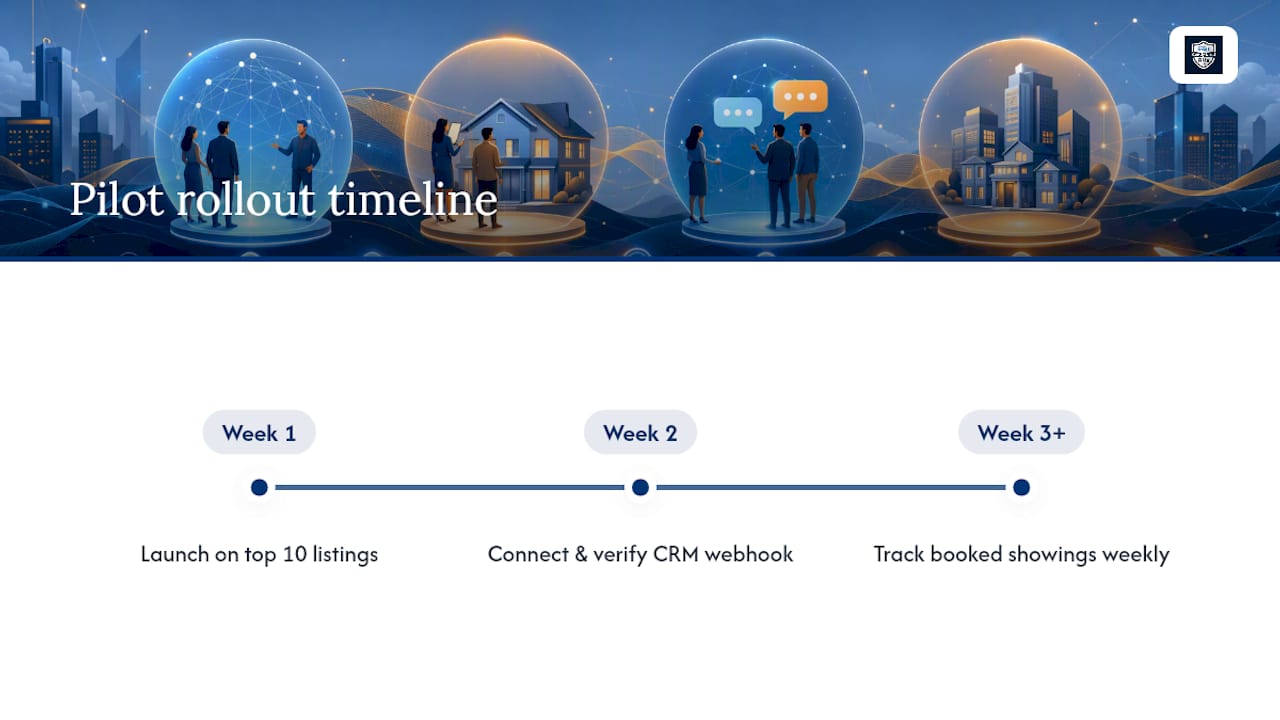
The mistake most agents make isn’t picking the wrong platform. It’s skipping the pilot and going straight to a sitewide rollout with no measurement plan. Run the pilot in stages: week one, get the widget live on your ten highest-traffic listings with basic capture fields. Week two, connect the CRM webhook and confirm every transcript actually lands where your team can see it. From week three on, track booked showings weekly, not monthly, because listing chat performance shifts fast as inventory turns over.
Enterprise-grade deployments with full RAG and CRM integration typically take several weeks to configure properly, while a simpler widget can go live in a single afternoon. Don’t confuse speed of setup with readiness. A bot that launches fast but hallucinates listing details will cost you more in lost trust than the weeks you saved.
Set a clear escalation timeline before launch: instant capture, a five-minute SLA for human takeover on qualified leads, and a same-day follow-up call for anyone who books a showing through AI Phone Answering for Car Dealers | Never Miss a Call chat. Agents who build this rhythm early rarely go back to static forms.
— Christopher
How Gently Used RVs Handles Buyer Chat on High-Traffic Listings
Gently Used RVs is built around the same principle this guide walks through: get buyers talking the moment they land on a listing, not after they’ve already moved on. Listings on the Gold plan include live buyer chat and appointment scheduling built directly into the listing page, so a serious buyer can ask about a price or book a look without ever leaving the RV they’re already viewing.
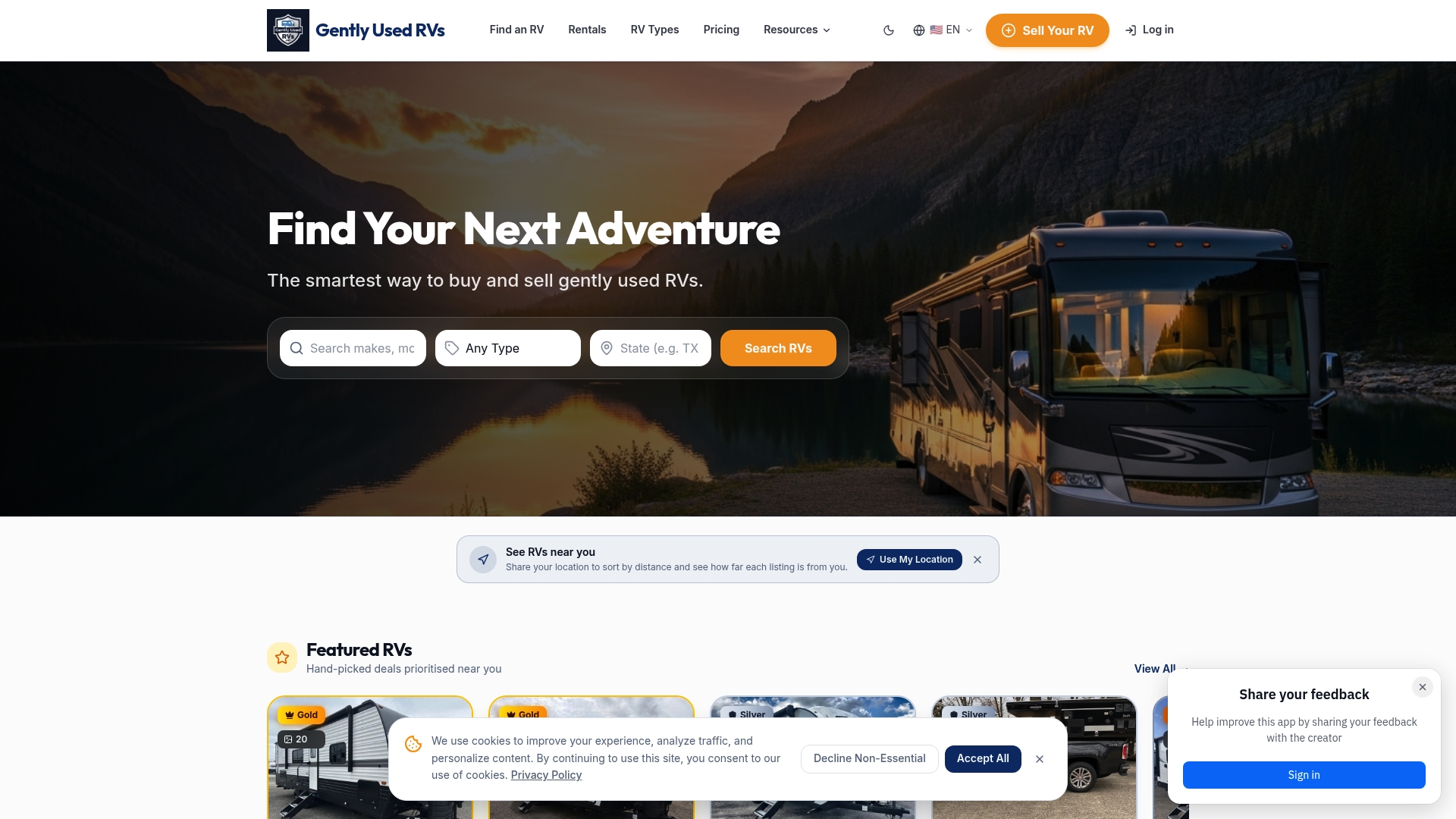
Sellers running higher volume can pair that with the platform’s AI-powered autofill, which pulls year, make, model, specs, and photos straight from any dealer or marketplace URL, cutting the manual work out of getting a listing live in the first place. Details on how listing tiers, photo limits, and chat features stack up by plan are laid out on the pricing page, and the mechanics of upgrades like Bump to Top are explained on the how it works page. Dealerships managing multiple units can start with the dealer inventory plans to see how enterprise sync and unlimited listings fit a higher-volume pilot. If you’re ready to test listing-aware chat on your own inventory, upgrading a listing to Gold is the fastest way to start.
Sources
- MyLiveChat — Live chat for real estate
- Agaro — Conversation bot for real estate
- Qply — Live chat for real estate
FAQ
How Do I Access Live Chat on a Listing Site?
Most listing-aware chat widgets appear automatically as a small window in the corner of a listing page. If you don’t see it, the listing may not have chat enabled, or you may need to scroll or wait a few seconds for a proactive trigger to fire.
How Do I Chat With a Live Agent Instead of a Bot?
Type a request like “talk to a person” or ask a question outside the bot’s listing data. A well-configured setup will escalate automatically once its confidence threshold drops, connecting you to a human within minutes.
What Is the Best Live Chat Platform for Real Estate Listings?
There’s no single best platform for every situation. The right choice depends on your listing volume, whether you want AI-only, human-only, or hybrid coverage, and whether the tool integrates with your CRM and calendar through webhooks.
Does Gently Used RVs Offer Live Chat on Listings?
Yes. Listings on the Gold plan and Dealer plans include live buyer chat along with appointment scheduling, letting buyers ask questions and book a look directly from the listing page.
What Should I Capture Before Booking a Showing Through Chat?
At a minimum, collect name, phone, email, the listing ID, and a rough sense of budget and timeline before offering a showing slot. Financing status and urgency are the two questions that separate serious buyers from casual browsers.