
AI RV listing autofill pulls specs, price data, and photos from a VIN, an inventory feed, or a dealer URL, then writes a buyer-ready description in seconds instead of the twenty minutes a manual listing usually eats. It saves real time and keeps listings consistent across dozens of units, which matters for search visibility and buyer trust. For most private sellers and dealers, it’s worth trying, but every autofilled listing still needs a human to check condition, mileage, and price before it goes live.
TL;DR:
- Autofill tools pull detailed RV specifications, pricing, and photos from VINs, feeds, or URLs, then generate buyer-ready descriptions and image assets.
- Manual review remains essential to verify condition notes, current mileage, and price accuracy before listing goes live, especially for high-value or unique units.
- Features to consider include data source support, marketplace integration, photo automation depth, bulk options, and security measures for dealer inventories.
- Listings are typically published across Facebook Marketplace, RV portals, and classifieds, with auto-synced inventory updates crucial for maintaining buyer trust.
- Automation is most beneficial for dealers managing more than five to ten units monthly, while private sellers or custom units may find manual entry more reliable.
Table of Contents
- What Does AI RV Listing Autofill Actually Do?
- How Does Autofill Work From Import to Published Listing?
- What Features Matter Most When Comparing Autofill Tools?
- How Do Photo and Description Automation Actually Work?
- Where Do Autofilled Listings Actually Get Published?
- When Should You Actually Use Autofill?
- How Gently Used RVs Handles Autofill for Sellers
- What Sellers Should Expect From AI Autofill Right Now
- Try Gently Used RVs’ Autofill on Your Next Listing
- Selected Reading and Product Documentation
- Sources
- FAQ
What Does AI RV Listing Autofill Actually Do?
AI RV listing autofill takes the tedious parts of building a listing and hands them to software that reads structured data and images. Instead of typing floorplan details from memory or guessing at a fair price, you’re reviewing what the tool already pulled together. That’s the whole pitch behind AI RV listing automation: less typing, fewer skipped fields, faster time to “live.”
The core capabilities show up in nearly every serious autofill tool on the market:
- Specs and identifiers: year, make, model, and VIN-decoded details like engine, chassis, and slide count
- Amenities and floorplans: appliances, sleeping capacity, awnings, and layout pulled from source data or photos
- Auto-generated descriptions: buyer-facing copy written for search rather than recycled manufacturer boilerplate, which tends to outperform generic text on vehicle detail page rankings
- Price guidance: suggested pricing that can sync dynamically to a dealer’s inventory feed
- Photo prep: resized images, generated captions, alt text, and clean file names ready for upload
Together, these outputs are what people mean when they talk about smart RV listing tools. It’s not one feature. It’s a small assembly line.
How Does Autofill Work From Import to Published Listing?
Every autofill workflow follows roughly the same path, whether you’re a private seller posting one travel trailer or a dealer syncing forty units.
- Input: you provide a VIN, connect an inventory feed, paste a marketplace or dealer URL, or upload photos. Tools like Listiq can recognize make and model directly from an image in seconds.
- Extraction and mapping: the system pulls raw data and maps it into listing fields, matching specs to the categories buyers actually filter by.
- Description generation: AI writes a draft description using the mapped specs, tuned for buyer language and search terms rather than dealer jargon.
- Photo studio pass: images get resized, cleaned up, and sometimes background-adjusted for a consistent look across the listing.
- Staging and review: the draft sits in a queue for you to check before it publishes.
- Publishing and maintenance: once approved, the listing can AutoPost to your chosen channel, renew automatically, sync price changes, and get pulled the moment the unit sells.
That last step matters more than people expect. AutoLander’s dealer tools built inventory sync and sold-unit removal into the core workflow specifically because stale listings erode buyer trust faster than almost anything else on a marketplace.
Before you hit publish on anything autofill produces, check three things by hand: condition notes, actual current mileage, and any unique features the tool might have missed or generalized.
Pro Tip: Run your first five autofilled listings through a full manual review before trusting the system on volume. It takes an extra ten minutes and it’s how you catch a slide-out miscounted or a price synced to the wrong trim.
What Features Matter Most When Comparing Autofill Tools?
Not every autofill tool solves the same problem, so judge candidates against criteria rather than marketing copy. The differences show up fast once you’re moving real inventory through them.
- Data source support: does it handle VIN decoding, common feed formats, and direct URL import, or just one of the three?
- Marketplace integrations and AutoPost controls: look for scheduling options, posting pacing, and clarity on what account access it requires.
- Photo processing depth: background removal, consistent resizing, auto-captions, and alt text output in usable formats like JPG or WebP, which RV Photo Wizard builds around batch processing and saved templates.
- Scale features: bulk import, multi-user team access, API or CSV support, and how often price sync actually runs.
- Security basics: how the tool stores posting-account credentials and API keys, and whether it limits access by role.
A tool that nails photo automation but can’t sync a feed is fine for a single private seller. It’s the wrong tool for a dealer moving forty units a month.
How Do Photo and Description Automation Actually Work?
Photo automation typically means background replacement, uniform resizing, and a consistent visual style applied across every image in a batch. Tools built for this, like RV Photo Wizard, also generate captions and alt text automatically, which helps both search visibility and accessibility for buyers using screen readers.
Description automation works similarly on the text side. The best output includes condition specifics, standout features, and language buyers actually search for, not a rewritten spec sheet.
A few rules keep this trustworthy instead of risky:
- Never let automation alter or soften condition notes, mileage, or claimed features
- Keep one unedited photo per unit on file for condition transparency
- Review every AI-written description against the actual unit before publishing
- Reuse templates for visual consistency, but re-verify captions on each new batch
Pro Tip: Save one raw, unedited photo per RV before running batch enhancements. If a buyer ever questions a scratch or a stain that’s less visible after editing, that original file is your proof the listing was honest.
Where Do Autofilled Listings Actually Get Published?
Most autofill tools push listings to a handful of predictable channels: Facebook Marketplace, classifieds sites like Craigslist or Nextdoor, and specialized RV portals or dealer sites.
AutoPost tools generally require you to stay signed into the destination account, and the better ones use human-like pacing between posts to avoid tripping platform automation detection, a pattern Marketplace Listing Tool documents in its own posting workflow.
- Inventory feeds keep posted listings current and pull sold units automatically, which prevents the dead-listing problem that quietly kills buyer trust
- Cross-posting to multiple channels increases reach but multiplies the maintenance load if sync isn’t automated
- Category accuracy is non-negotiable: posting an RV under the wrong Marketplace category buries it from buyers actively filtering for RVs and campers
If Facebook Marketplace ever goes down or throttles listings, having a multi-platform posting strategy already in place saves you from a dead week of zero visibility.
When Should You Actually Use Autofill?
Autofill earns its keep differently depending on whether you’re posting one RV or fifty.
- Private sellers get the biggest win on speed. One unit, one Marketplace post, and autofill turns a twenty-minute chore into a two-minute review.
- Dealers benefit most from volume features: daily renewals, price sync across an entire feed, and multi-user access so more than one salesperson can manage listings.
- Manual listing still wins for custom builds, vintage units, or heavily modified rigs where automated spec mapping can’t capture what makes the unit unique.
- The scale threshold is roughly this: if you’re posting more than five to ten units a month, or spending more than an hour a week on renewals and price updates, automation starts paying for itself.
How Gently Used RVs Handles Autofill for Sellers
Gently Used RVs built its own autofill around the same problem this article has been describing. Paste in a dealer website URL or a marketplace listing link, and it pulls year, make, model, specs, price, and photos directly into a draft listing, no retyping required. It works across every RV type the site supports, from Class A motorhomes to teardrop trailers.
Once a listing is live, geotargeted search puts it in front of nearby buyers first, with reach expanding through paid tiers for broader visibility.
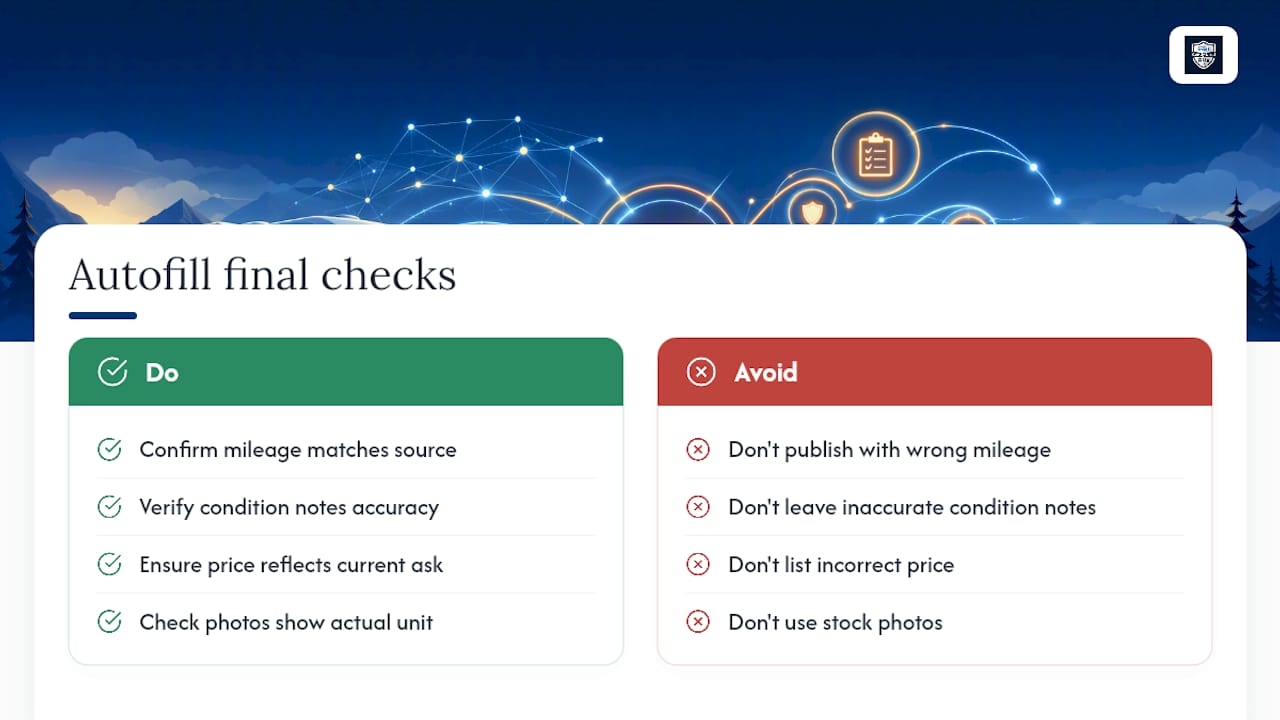
To use it: paste the URL, review what got extracted, correct anything off, then publish. Before you do, confirm four things: mileage matches the source, condition notes are accurate, price reflects the current ask, and photos show the actual unit rather than a stock image from the original posting.
What Sellers Should Expect From AI Autofill Right Now
AI autofill genuinely speeds up listing creation and keeps descriptions consistent across an inventory, but it’s not a substitute for judgment. The gap between what these tools promise and what they deliver almost always comes down to verification, not capability. Start with a small pilot, five to ten listings, before trusting any tool at scale, and keep manual review in place for anything unique or high-value. The software handles the typing. You still own the accuracy.
— Christopher
Try Gently Used RVs’ Autofill on Your Next Listing
Gently Used RVs skips the agency-style setup fees and long contracts that come with dealer software subscriptions elsewhere. Post a listing for free, import specs and photos from any dealer or marketplace URL in seconds, and only pay if you want expanded reach.
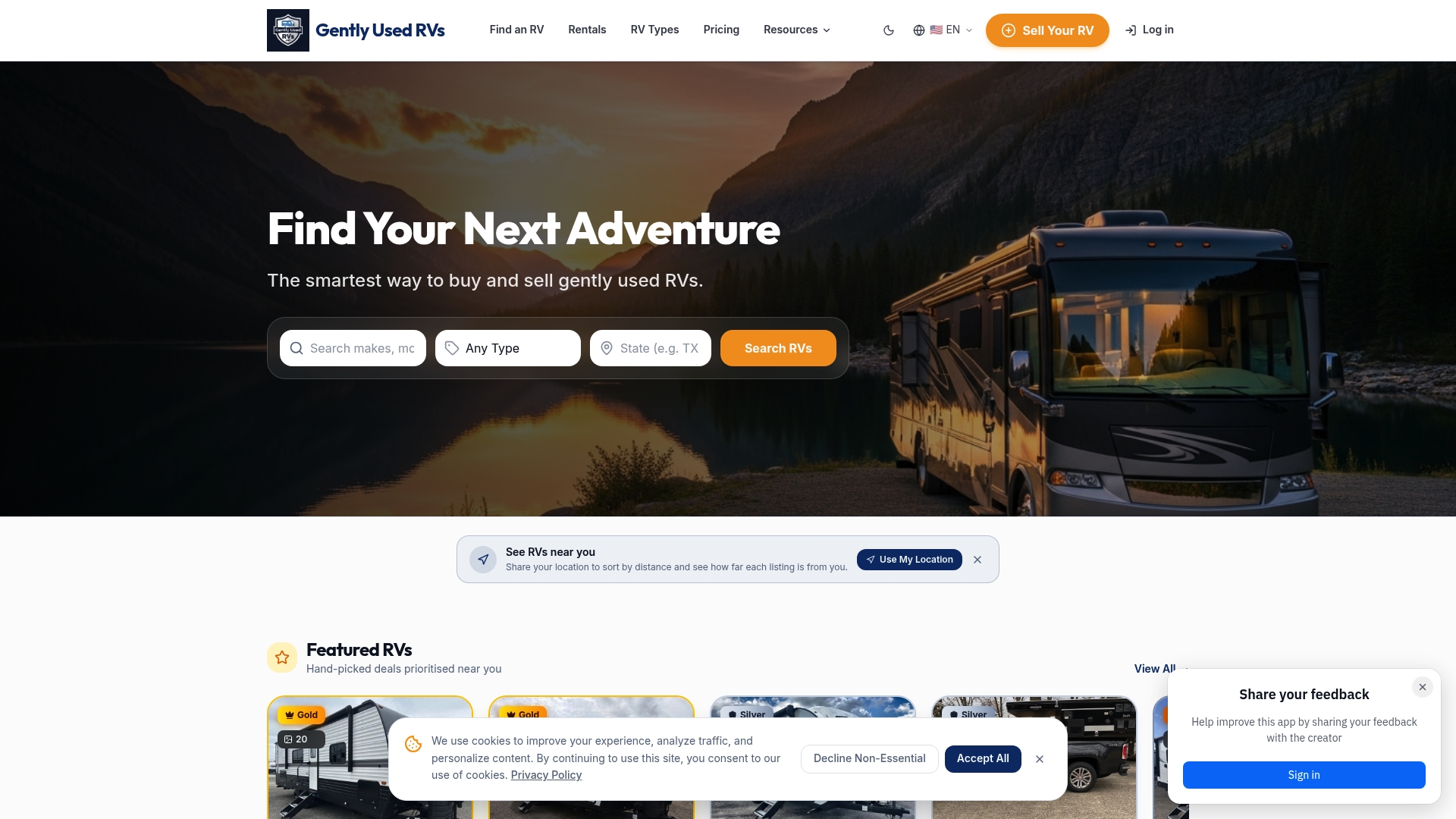
Paste in a URL, review the autofilled fields, and publish. If you want broader visibility, Bronze and Silver tiers extend your radius from 20 miles up to statewide, and Gold adds nationwide reach plus live buyer chat. Dealers managing larger inventories can move straight to feed-synced posting through the dealer inventory integration page, which keeps prices current and pulls sold units automatically without manual cleanup. Browse the dealer directory to see how other dealerships are already running their inventory this way, or check the RV types guide to confirm your unit’s category before you import. Post your first listing today and see what autofill catches, and what it misses, before your next sale.
Selected Reading and Product Documentation
For deeper dives into the tools referenced above: AutoLander’s dealer software covers feed sync and sold-unit removal, RV Photo Wizard documents its photo template workflow, and Marketplace Listing Tool explains AutoPost pacing. For image prep basics, this resizing tool helps keep photos from distorting before upload.
Sources
- RV dealer software for Facebook Marketplace
- Marketplace Listing Tool — Chrome Web Store
- RV Photo Wizard | Listing-ready RV photos in minutes
- Listiq AI
- The RV dealer’s guide to SEO
FAQ
What Is AI RV Listing Autofill?
It’s software that pulls RV specs, pricing, and photos from a VIN, inventory feed, or URL, then generates a description and prepares images automatically instead of requiring manual entry.
Does Autofill Work for Private Sellers, Not Just Dealers?
Yes. A single private seller listing one RV benefits from the same speed and accuracy gains as a dealer, just at a smaller scale. Gently Used RVs’ autofill, for example, lets any seller import a listing from a URL for free.
Can Autofill Tools Post to Facebook Marketplace Automatically?
Many can, through AutoPost features that require an active signed-in session and human-like posting pacing to avoid platform flags, as Marketplace Listing Tool describes in its workflow.
Will Autofill Ever Change My RV’s Condition or Mileage in the Listing?
No reputable tool alters factual details like mileage or condition. Those fields import from the source data, but you should verify them by hand before publishing.
How Do I Know if My Volume Justifies Automation?
If you’re posting more than five to ten RVs a month, or spending over an hour a week on renewals and price updates, automated sync and AutoPost typically save more time than they cost to set up.